
Every second your dropshipping store takes to load, you’re bleeding potential customers. Site speed data paints a stark picture: 53% of mobile users abandon a site after just 3 seconds, a single second of delay reduces conversions by 7%, and stores loading under 2 seconds convert at 3.05% compared to a dismal 0.67% at 4 seconds. For Sellvia and AliDropship store owners trying to scale a profitable business, those numbers aren’t abstract statistics. They’re lost orders, wasted ad spend, and customers who landed on a competitor’s page instead of yours.
| Point | Details |
|---|---|
| Speed drives conversions | A website that loads faster than 2 seconds greatly increases dropshipping sales. |
| Mobile optimization is essential | Most customers shop on mobile, so prioritize mobile speed and design. |
| Simple fixes yield big results | Focus on hosting, images, and theme selection for maximum speed improvement. |
| Continuous monitoring prevents setbacks | Check site speed regularly after changes to maintain performance gains. |
| User experience outweighs technical perfection | Improving overall site usability matters more than chasing every optimization metric. |
Now that you see how much site speed affects your bottom line, let’s clarify the exact benchmarks and performance targets you should aim for.
Google uses a framework called Core Web Vitals to measure whether your store delivers a good user experience. These three metrics are the foundation of any serious optimization effort:
Why does this matter specifically for dropshipping? Because your customers are often impulse buyers. They found your product through a social ad or a search result, they’re ready to buy, and a clunky, slow experience breaks that momentum instantly.
Here’s how your store’s performance compares to industry benchmarks:
| Metric | Ideal target | Industry average |
|---|---|---|
| LCP (mobile) | Under 2.5s | 3.8s to 13s |
| INP | Under 200ms | 200ms to 500ms |
| CLS | Under 0.1 | 0.1 to 0.25 |
| Bounce rate | Under 35% | 41% average |
| Session duration | Over 3 minutes | 2 minutes 57 seconds |
| Pages per session | Over 5 | 5 average |
| Load time | Under 2s | 5.3 seconds |
The gap between ideal and average is significant. The good news is that most of the fixes are straightforward once you know where to focus. Improving your AI skills for creators can also help you generate optimized content faster, reducing the manual overhead of running your store. And keeping your overhead lean with solid budgeting tips means you can invest in the hosting and tools that actually move the needle.

With key performance metrics in mind, let’s dive into the most effective tools and strategies for boosting your dropshipping store’s speed.
The right combination of tools can cut your load time dramatically without requiring deep technical knowledge. Here’s what actually works for Sellvia and AliDropship store owners:
Image optimization tools:
Content delivery and caching:
Theme and code optimization:
Here’s a practical breakdown of the top tools and their impact:
| Tool | Purpose | Ease of use | Speed impact |
|---|---|---|---|
| TinyPNG / WebP | Image compression | Easy | High |
| Cloudflare CDN | Global content delivery | Moderate | Very high |
| Lazy loading | Deferred image loading | Easy (plugin) | High |
| Browser caching | Repeat visit speed | Moderate | Medium |
| Lightweight theme | Reduced code weight | Easy | Very high |
| Minified CSS/JS | Cleaner code delivery | Moderate | Medium |
| Fast hosting | Server response time | Easy (choose wisely) | Very high |
For Sellvia and AliDropship stores specifically, fast hosting is non-negotiable. Your plugin or platform can only perform as well as the server it runs on. Pair that with a responsive, mobile-first design and you’re already ahead of most competitors. Staying current with advanced technologies helps you identify newer optimization tools before your competitors do. You can also use social media content strategies to drive traffic that converts better when your site is already fast.
Pro Tip: Always prioritize mobile-first design. Design and test your store on the smallest screen first, then scale up. Mobile shoppers make up the majority of dropshipping traffic, and a site that looks great on desktop but crawls on mobile is leaving serious revenue on the table.
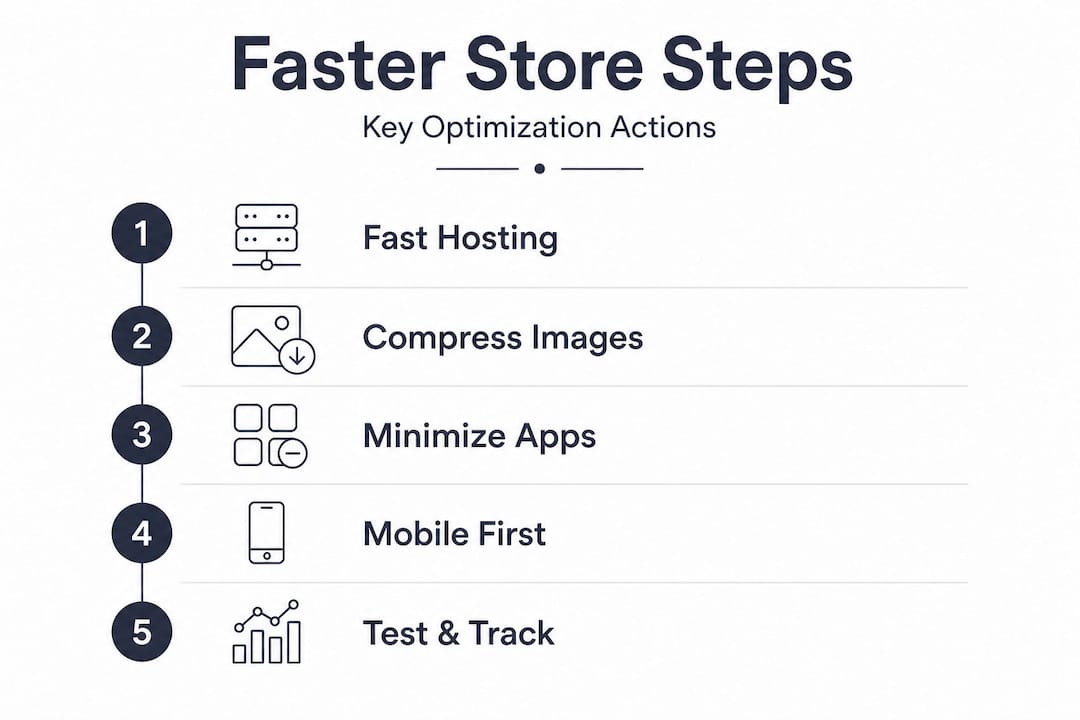
Once you’ve chosen the right tools, follow these actionable steps to optimize your dropshipping site for maximum speed and customer retention.
This process is structured in three phases: preparation, execution, and verification. Don’t skip the preparation phase. Jumping straight into changes without a baseline measurement is one of the most common mistakes store owners make.
Phase 1: Preparation
Phase 2: Execution
Phase 3: Verification
Warning: If your store takes longer than 3 seconds to load on mobile, you are losing more than half of your potential customers before they ever see your products. Speed is not a technical detail. It is a direct revenue lever.
Pro Tip: Test each change one at a time. If you compress images, enable a CDN, and switch themes all in the same day, you won’t know which fix delivered the biggest improvement. Incremental testing gives you real data to guide future decisions. Pair this with solid business marketing practices and you’ll understand exactly which optimizations translate into actual sales. Using AI tools and prompts can also help you automate parts of your optimization workflow, from generating alt text for images to analyzing performance reports faster.
Even the best optimization plans can stumble. Here’s how to catch and fix common mistakes while tracking your gains.
Most dropshipping store owners make the same handful of errors when trying to speed up their sites. Knowing what to watch for saves you hours of troubleshooting.
The most frequent mistakes:
How to track your progress:
Use Google Search Console to monitor your Core Web Vitals over time. The “Page Experience” and “Core Web Vitals” reports show real user data segmented by mobile and desktop, which is far more reliable than synthetic lab tests alone.
Run Google PageSpeed Insights after every significant change. It’s free, takes 30 seconds, and gives you actionable recommendations specific to your store.
Set up a simple monthly review calendar. Check your speed scores, bounce rate, average session duration, and conversion rate together. Speed improvements that don’t correlate with better engagement metrics suggest a deeper UX issue worth investigating. Investing in quality content creation can also reduce bounce rates by giving visitors a reason to stay longer once your pages load quickly.
Pro Tip: Never test multiple changes in the same week if you’re also running paid traffic campaigns. Ad spend fluctuations can mask or exaggerate the impact of your speed improvements. Isolate your optimization testing during stable traffic periods for clean data.
Having covered actionable steps and how to monitor your progress, it’s worth reflecting on what really drives results for dropshipping entrepreneurs.
Here’s an uncomfortable truth most optimization guides won’t tell you: chasing a perfect 100 PageSpeed score is a waste of your time. We’ve seen store owners spend weeks shaving milliseconds off their LCP while ignoring a confusing checkout flow that was killing their conversions. The real-world consensus among small business owners is clear: basic optimizations like caching and CDN setup are table stakes, but micro-optimizations deliver diminishing returns fast.
The stores that win are the ones that fix the obvious problems first. If your mobile LCP is 8 seconds, getting it to 2.5 seconds will transform your business. Getting it from 2.3 seconds to 2.1 seconds? Probably not worth the effort when you could be improving your product descriptions, testing a better hero image, or tightening up your ad targeting.
Speed matters most as a foundation. Once you’ve cleared the major performance hurdles, your energy belongs in user experience, trust signals, and product selection. A fast site with a confusing navigation still loses. A fast site with compelling products, clear pricing, and a smooth checkout wins every time.
The other trap is treating Core Web Vitals as a ranking guarantee. They influence SEO and user experience, but they are not the sole factor in your store’s visibility or revenue. We’ve seen stores with mediocre PageSpeed scores outperform technically perfect competitors because they nailed their offer and their audience. Speed is necessary. It is not sufficient on its own.
Ready to accelerate your store’s growth? The optimization steps in this article give you a strong technical foundation, but turning that speed into consistent revenue requires the right strategies and tools working together.

At Eliteris, we’ve built a library of resources specifically for dropshipping entrepreneurs using Sellvia and AliDropship. Whether you’re refining your business marketing strategy to drive higher-quality traffic to your newly optimized store, exploring best sellers to stock products that convert, or staying ahead with advanced technologies that give your store a competitive edge, we have the tools and guidance to help you move from setup to scale. A fast store is just the starting point. Let’s build the rest together.
Core Web Vitals measure site speed, responsiveness, and visual stability, and they directly affect how many visitors convert into buyers on your dropshipping store. Good ratings require LCP under 2.5 seconds, INP under 200ms, and CLS under 0.1.
Switch to fast hosting, convert product images to WebP format using TinyPNG, and remove unused apps and scripts. These three proven optimization techniques consistently deliver the biggest speed gains for Sellvia and AliDropship stores.
Test after every major change and run a full audit monthly to catch regressions. Incremental testing and monitoring through Google Search Console and PageSpeed Insights keeps your data clean and actionable.
Yes. Most dropshipping customers shop on mobile devices, and mobile LCP averages between 3.8 and 13 seconds for dropshipping stores, meaning mobile performance is where the biggest conversion gains are hiding.
Absolutely. Over-compression causes pixelation that makes product photos look unprofessional, which damages trust and reduces the likelihood of a purchase. Always preview compressed images before publishing them live.










Leave a comment